Your project plans and roadmaps right in Microsoft Teams and PowerPoint
Create your high-level project plans as gantt charts in Microsoft Teams, PowerPoint and Excel! With our app, creating project plans, gantt charts, roadmaps and timelines has never been easier.
Ranked among the top 25 most used apps in Microsoft Teams worldwide!
Key Features
Visual Project Planning
Create and manage projects with intuitive visual tools. Gantt charts, kanban boards, and timeline views give you the flexibility to plan and track work the way that works best for your team.
Task Management
Break down projects into manageable tasks with clear assignments, due dates, and dependencies. Track progress in real-time and ensure nothing falls through the cracks.
Team Collaboration
Keep everyone in sync with built-in communication tools, file sharing, and activity feeds. All project-related discussions and files in one central location.
Resource Management
Allocate resources effectively across projects. Visualize team capacity, identify bottlenecks, and optimize workload distribution.
Time Tracking
Built-in time tracking helps teams understand effort spent on tasks and projects. Generate accurate reports for billing, payroll, or project analysis.
Milestone Tracking
Define and track key project milestones. Automated notifications keep stakeholders informed of important achievements and deadlines.
Custom Workflows
Adapt Project Plan to your methodology – whether Agile, Waterfall, or hybrid. Create custom statuses, fields, and workflows that match your processes.
Benefits
- Easy to Use: Minimal learning curve means teams are productive from day one
- Increased Transparency: Everyone knows what needs to be done and by when
- Better Planning: Visual tools help identify dependencies and potential conflicts early
- Improved Accountability: Clear ownership and tracking of tasks and deliverables
- Data-Driven Decisions: Real-time reports and analytics inform project decisions
- Scalable: Grows with your organization from small teams to large enterprises
Who It’s For
Project Plan is perfect for:
- Project managers coordinating multiple initiatives
- Teams transitioning from spreadsheets to dedicated project management
- Organizations requiring lightweight yet powerful planning tools
- Businesses seeking better visibility into project status and progress
Technical Specifications
- Platform: Web-based, accessible from any device
- Cloud Infrastructure: Microsoft Azure
- Collaboration: Real-time updates and notifications
- Integration: API available for third-party integrations
- Mobile: Responsive design works on all devices
Screenshots
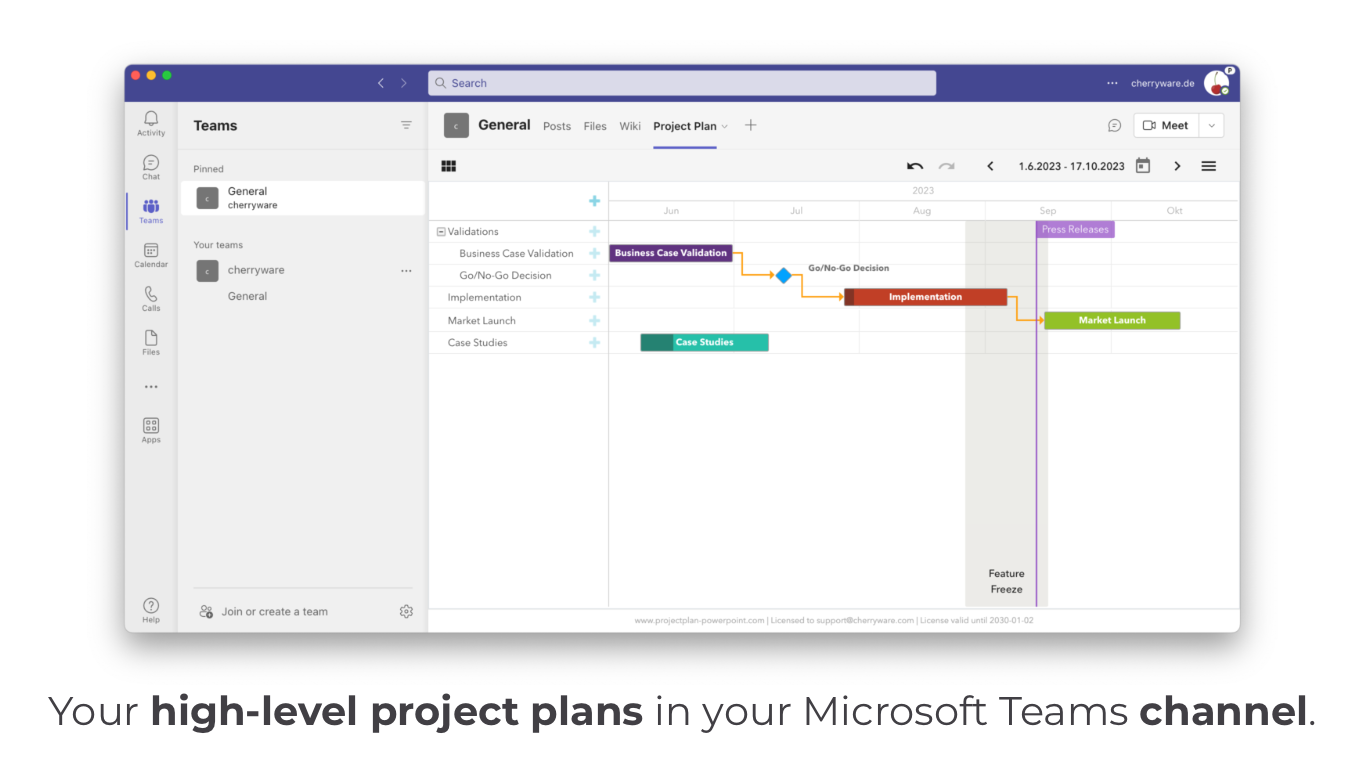
High-Level Project Plans in Microsoft Teams
Create and manage your high-level project plans as Gantt charts directly in your Microsoft Teams channel. Organize projects with phases like Validations, Implementation, and Market Launch. Track milestones such as Business Case Validation, Go/No-Go Decisions, Performance Tests, and Case Studies with clear timelines and dependencies.
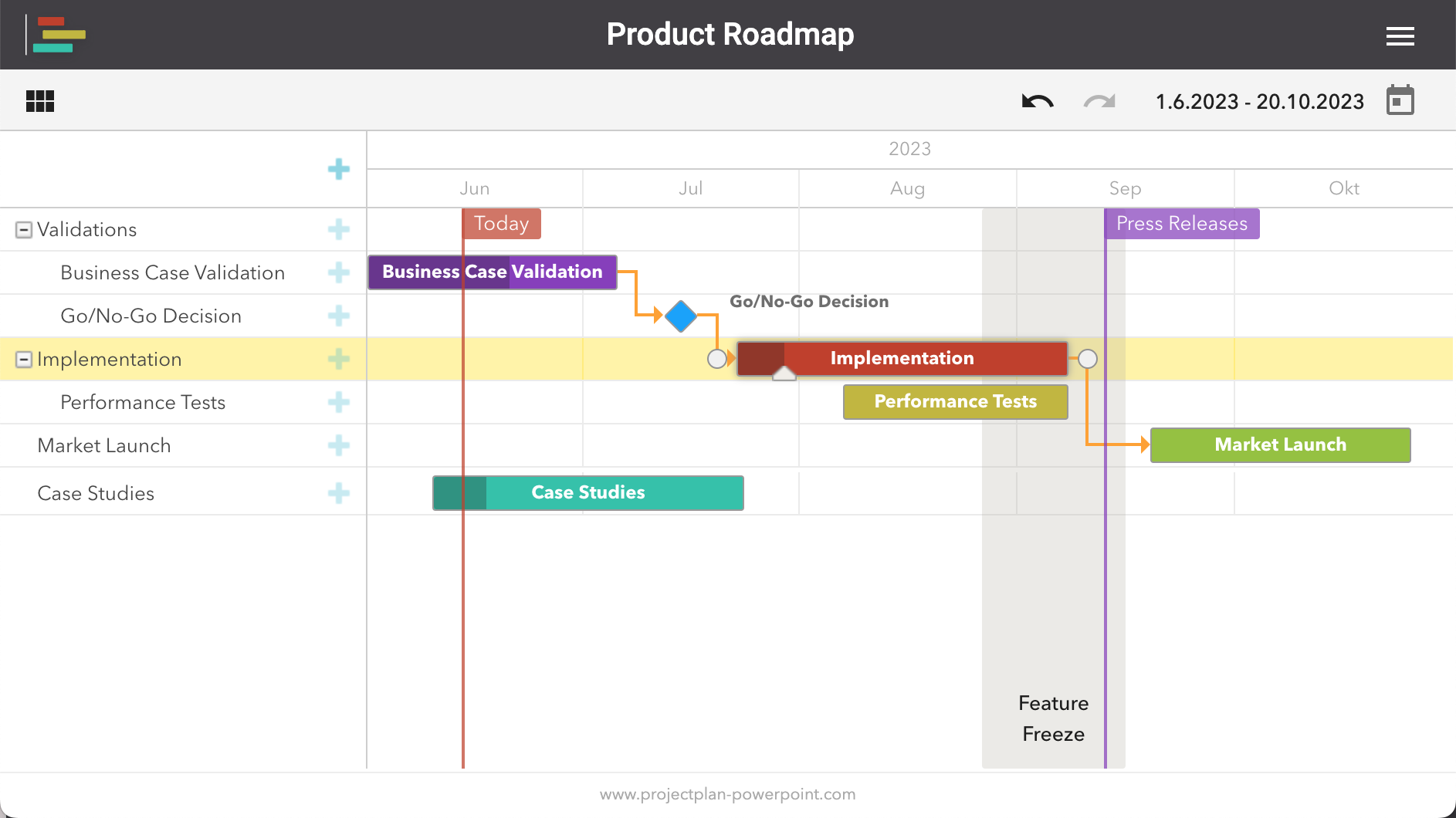
Product Roadmap & Gantt Chart View
Build comprehensive product roadmaps with a full-featured Gantt chart interface. Visualize project phases, dependencies, and milestones across months. Track validations, implementation phases, market launches, and feature freezes with color-coded tasks and clear timeline indicators.
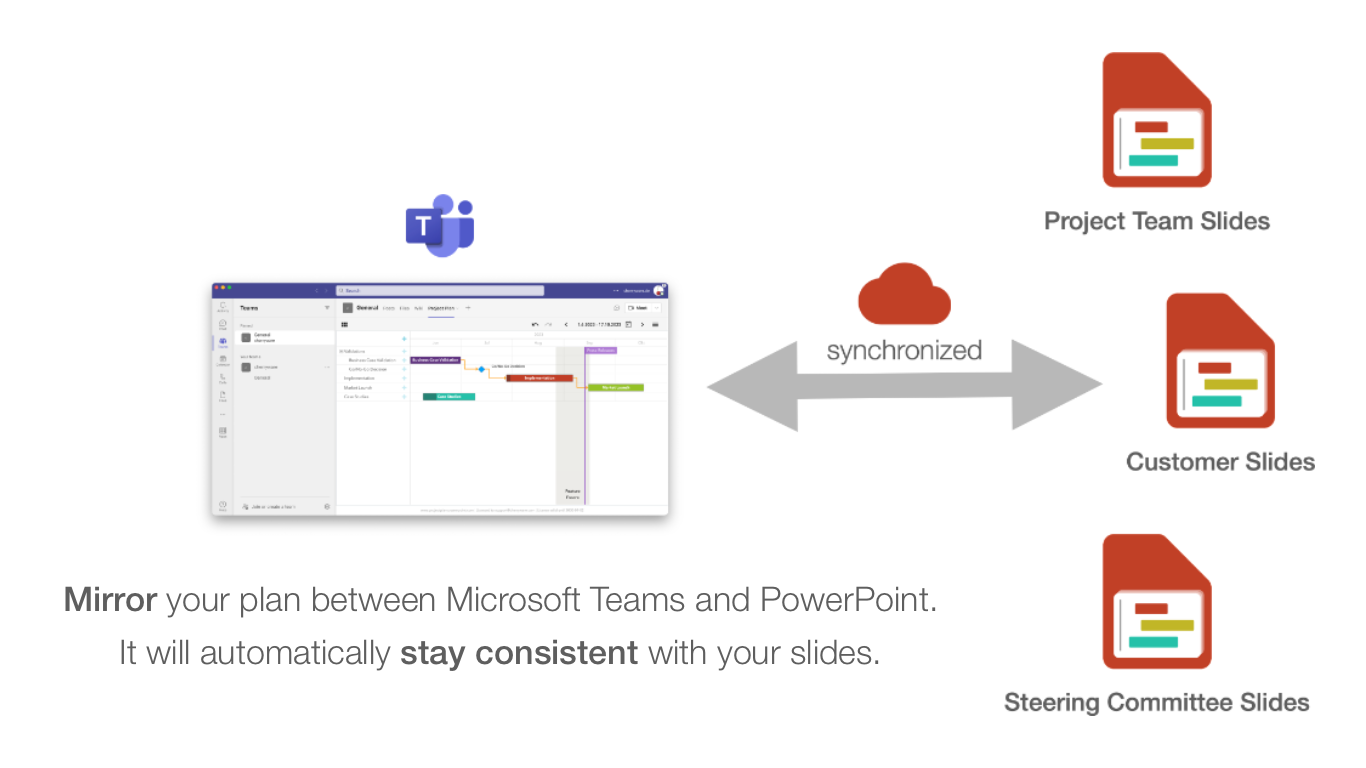
Synchronized Between Teams and PowerPoint
Mirror your project plans between Microsoft Teams and PowerPoint presentations. Your plans automatically stay consistent across platforms - update in Teams and it syncs to your Project Team Slides, Customer Slides, and Steering Committee Slides. Perfect for keeping stakeholders informed with always up-to-date project status.
Getting Started
Ready to simplify your project management? Project Plan makes it easy to get started with templates and guided setup.
For questions or support, please use the contact form on the product website: contact our team.